High-speed action is where most generative video engines fail. When a character vaults across a rooftop gap, traditional video diffusion models blur the limbs, lose facial features, or buckle under rapid optical flow changes. Higgsfield AI solves this by introducing dedicated Director of Photography (DoP) camera tracking rigs.
Instead of hoping the model invents a smooth 3D camera pan, you borrow the kinetic velocity from a reference action reel, lock your character with a turnaround sheet, and command the virtual lens.
The Screen-Recording Trap
Screen recording a viral parkour or martial arts reel on your phone destroys the exact data Higgsfield needs. Mobile screen recordings introduce Variable Frame Rate (VFR) jitter and severe compression macroblocking in shadow gradients. When Higgsfield calculates motion vectors, it interprets that macroblock flicker as physical movement, yielding warped hands and jittery camera sweeps.
Always pull the original uncompressed HD MP4 file directly via ReelGrab's Reels Downloader before running your camera extraction pass.
Step 1: The Character Turnaround Sheet (@Image 1)
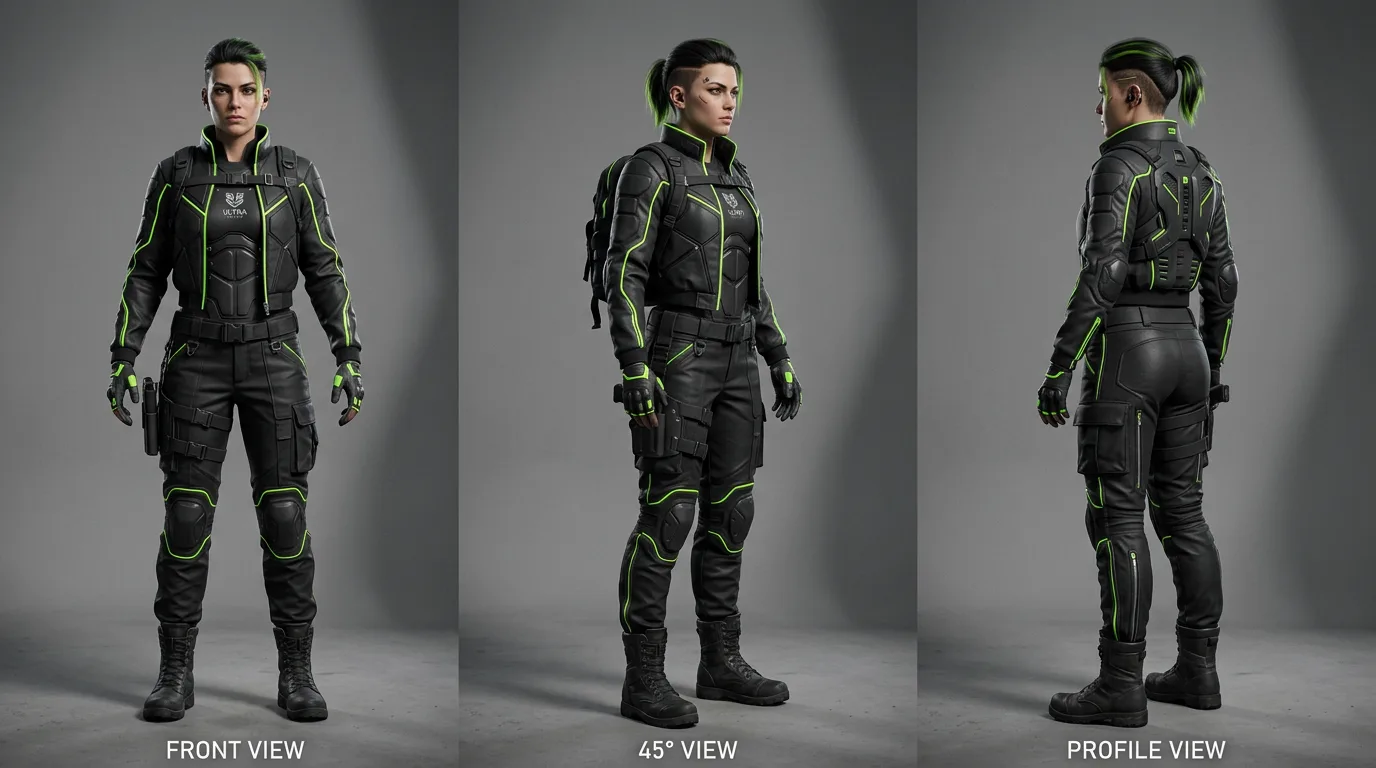
To survive a 360-degree orbit without facial morphing, your character reference must include front, 45-degree, and profile angles on a flat neutral studio grey (#8a8a8a) background. Specify exact clothing accents (matte black techwear with #d4ff3f neon lime piping) so the diffusion model has distinct edge tokens to track across every frame.
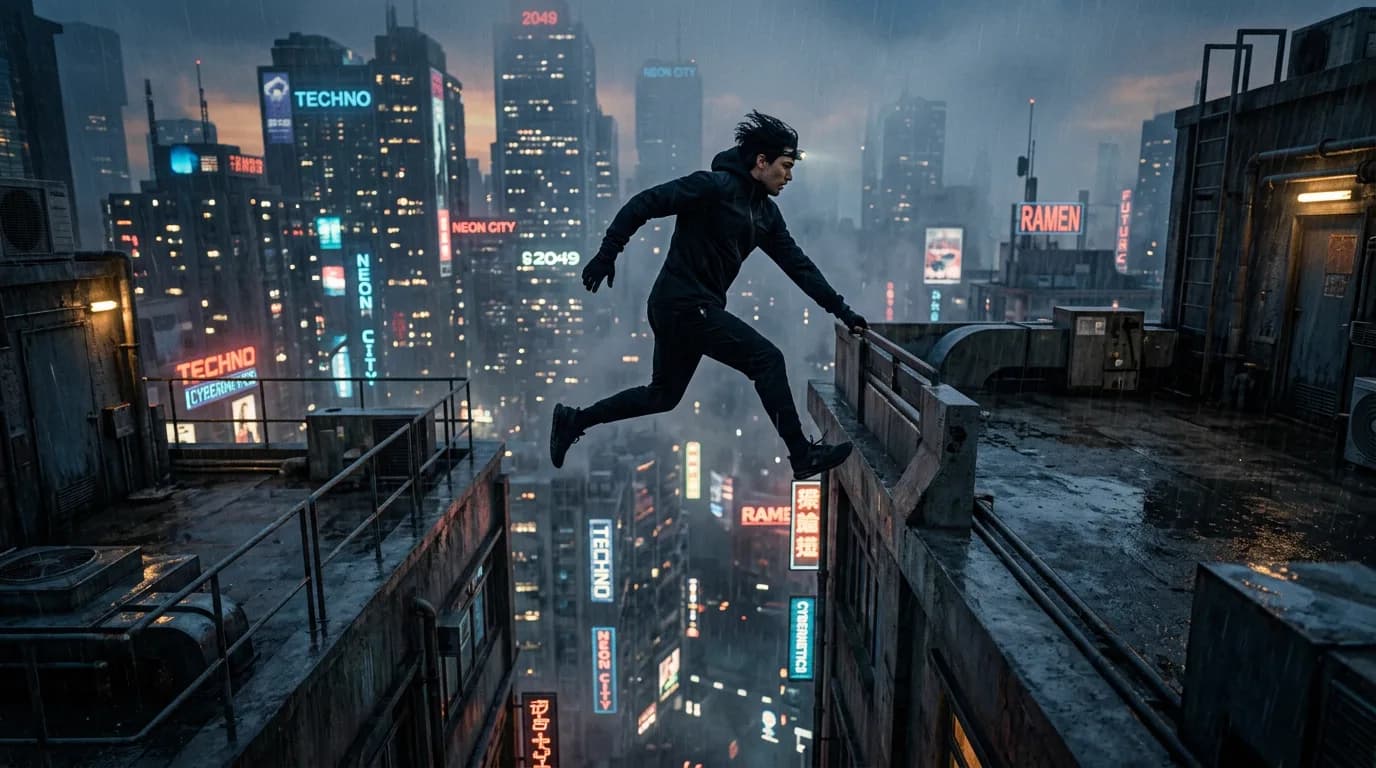
Step 2: The Urban Action Plate (@Image 2)
Step 3: The Higgsfield DoP Camera Controls
In Higgsfield's camera control panel, set the following parameters to execute the 360-degree bullet-time freeze:
- Lens Type: 35mm Anamorphic Prime (f/1.8).
- Camera Path: Circular Arc Orbit (360 degrees around subject center).
- Orbit Velocity: Ease-in deceleration at apex of jump (frame 48-72), resuming linear pan on descent.
- Depth of Field: Shallow, locked to subject chest plate.
Step 4: The Kinetic Action Prompt
@Image 1 is OUR ATHLETE. Lock her facial identity, cropped dark hair, and matte black techwear with #d4ff3f neon green piping across all angles.
@Image 2 is THE ENVIRONMENT. Industrial rooftop catwalk at dusk with distant skyscraper neon signage.

[CAMERA & MOTION HANDOVER]
Keep the vaulting trajectory, apex hang-time, and landing velocity from the reference video plate.
Camera executes a high-speed 360-degree orbital sweep around the athlete precisely as she reaches the apex of the rooftop leap.
At peak jump height: bullet-time time-dilation effect. Raindrops suspend motionless in mid-air. Anamorphic horizontal lens flare sweeps across the frame.
Descent: camera snaps back to real-time velocity, tracking behind the athlete as her boots hit the wet concrete.

NEGATIVE CONSTRAINTS:
NO facial morphing. NO duplicate limbs, no third leg, no detached boots. NO daylight, no sunny sky, no suburban houses. Never let the camera drift away from subject framing.